Now on Mac App Store

Your screen.
Warmer. Smarter.

Blumio reduces blue light at the GPU level — relieving eye strain and screen fatigue without any orange tint, overlays, or special permissions.

Coming Soon on the Mac App Store See Features
Blumio — Blue Light Filter for Mac app icon
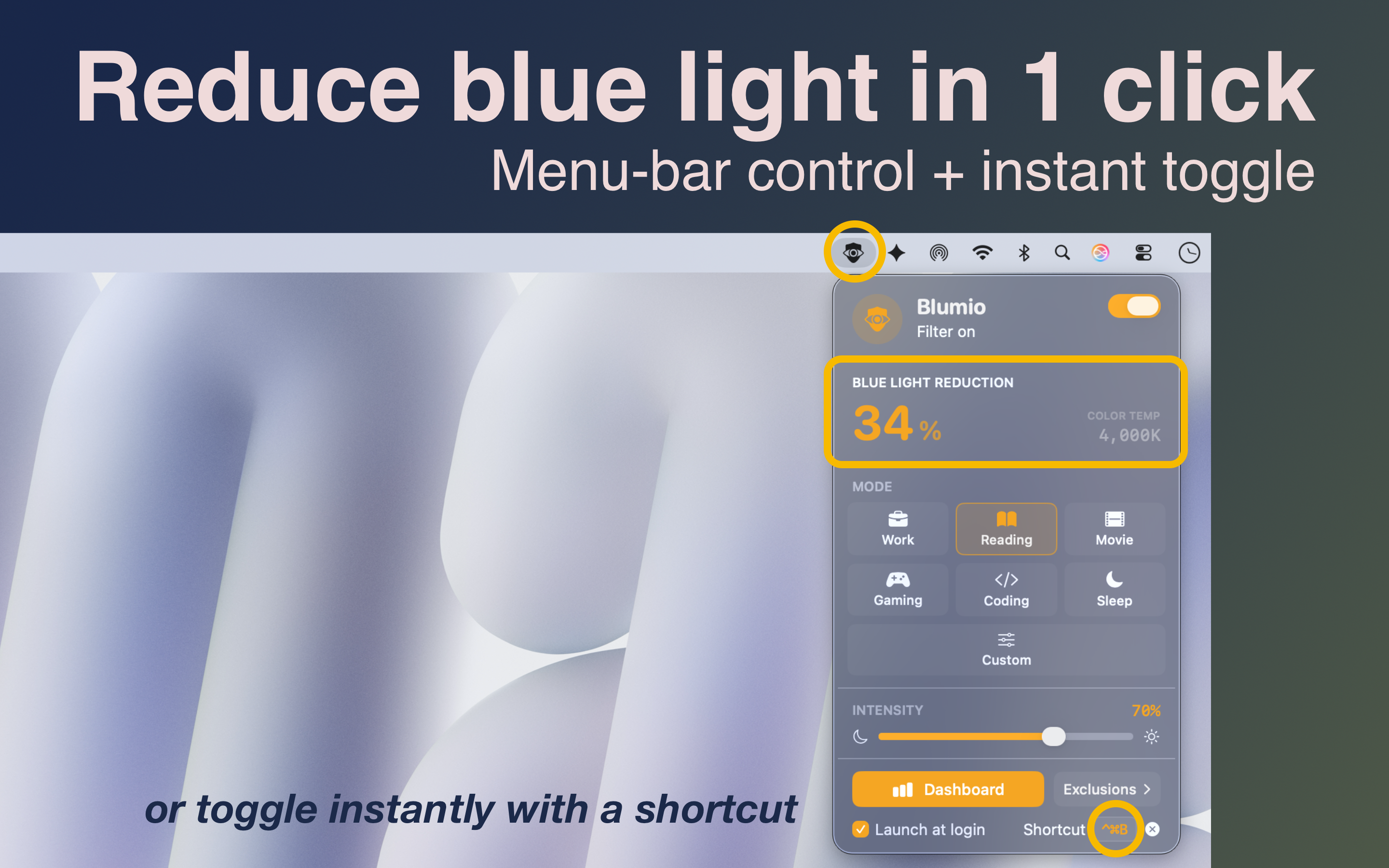
Blumio blue light filter for Mac — menu bar popover with filter modes and intensity control

Built different.

Most blue light apps just tint your screen orange. Blumio uses real color science to reduce eye strain, improve sleep quality, and keep display colors accurate.

GPU-Level Rendering

Modifies display color lookup tables directly on the GPU. Zero performance impact, no window overlays, no system slowdowns — just pure blue light reduction.

No Special Permissions

No screen recording. No accessibility access. No orange dot in your menu bar. Blumio is entirely private by design.

Not Just Orange

Melanopic-targeted suppression targets the exact blue wavelengths that cause eye fatigue and disrupt melatonin — colors look natural and accurate, not orange or sepia.

Smart App Exclusions

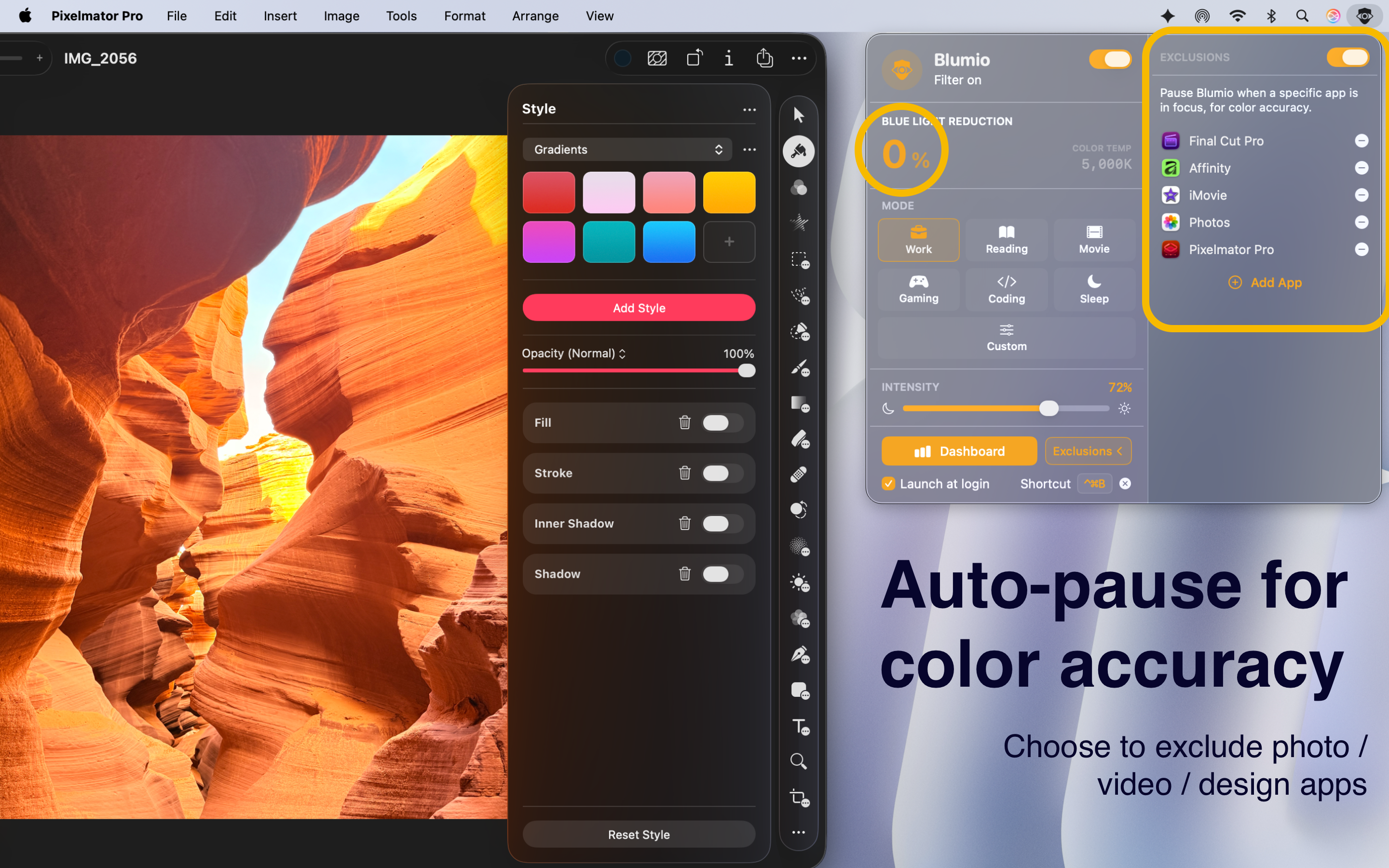
Automatically pause the filter when design apps, video players, or any app you choose comes into focus.

Global Keyboard Shortcut

Toggle the filter from anywhere with a customizable global hotkey. No need to open the app to switch it off.

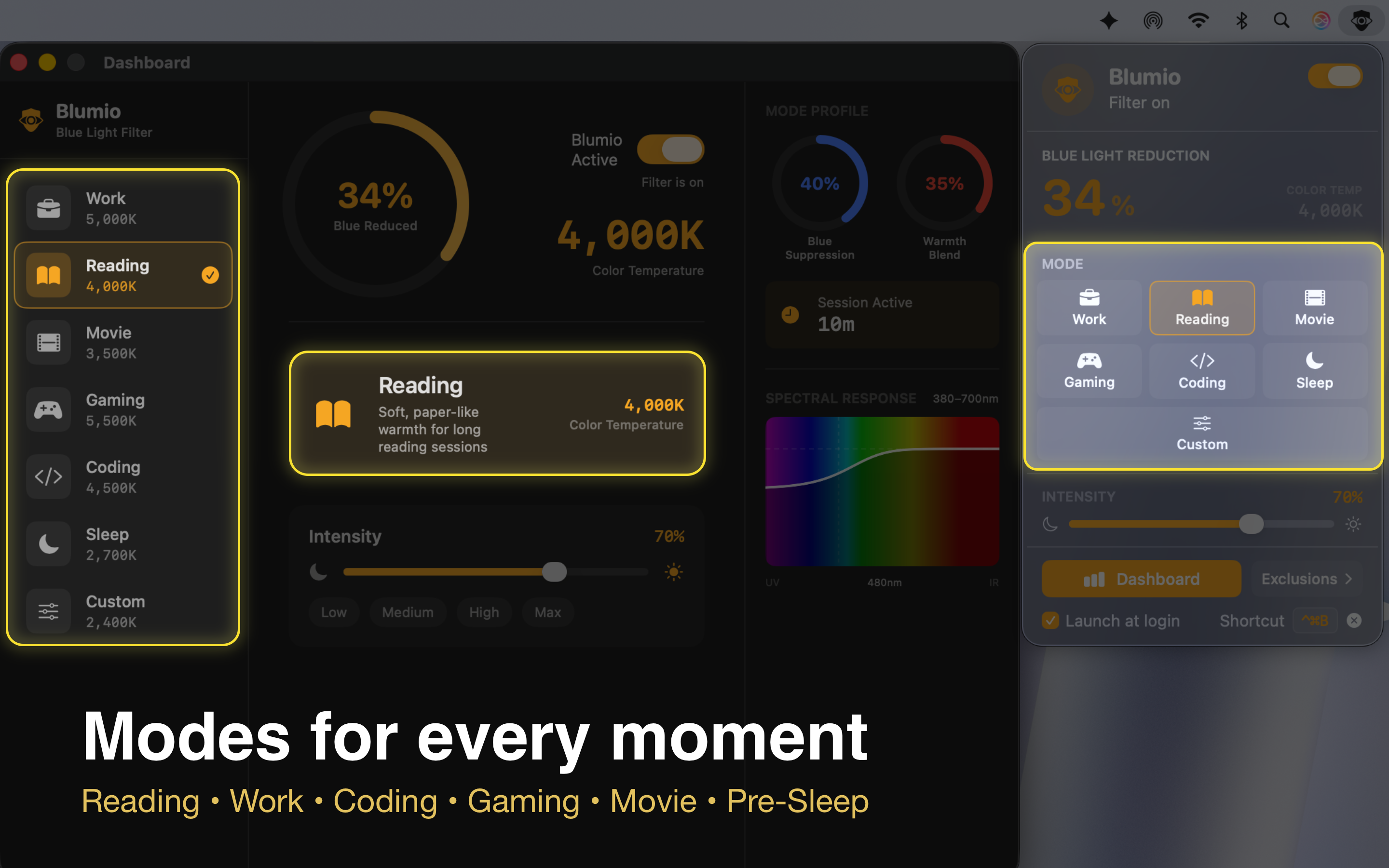
7 Smart Modes

Scientifically tuned presets for Work, Coding, Reading, Movie, Gaming, Sleep, and Custom — one tap to switch.

A mode for every moment.

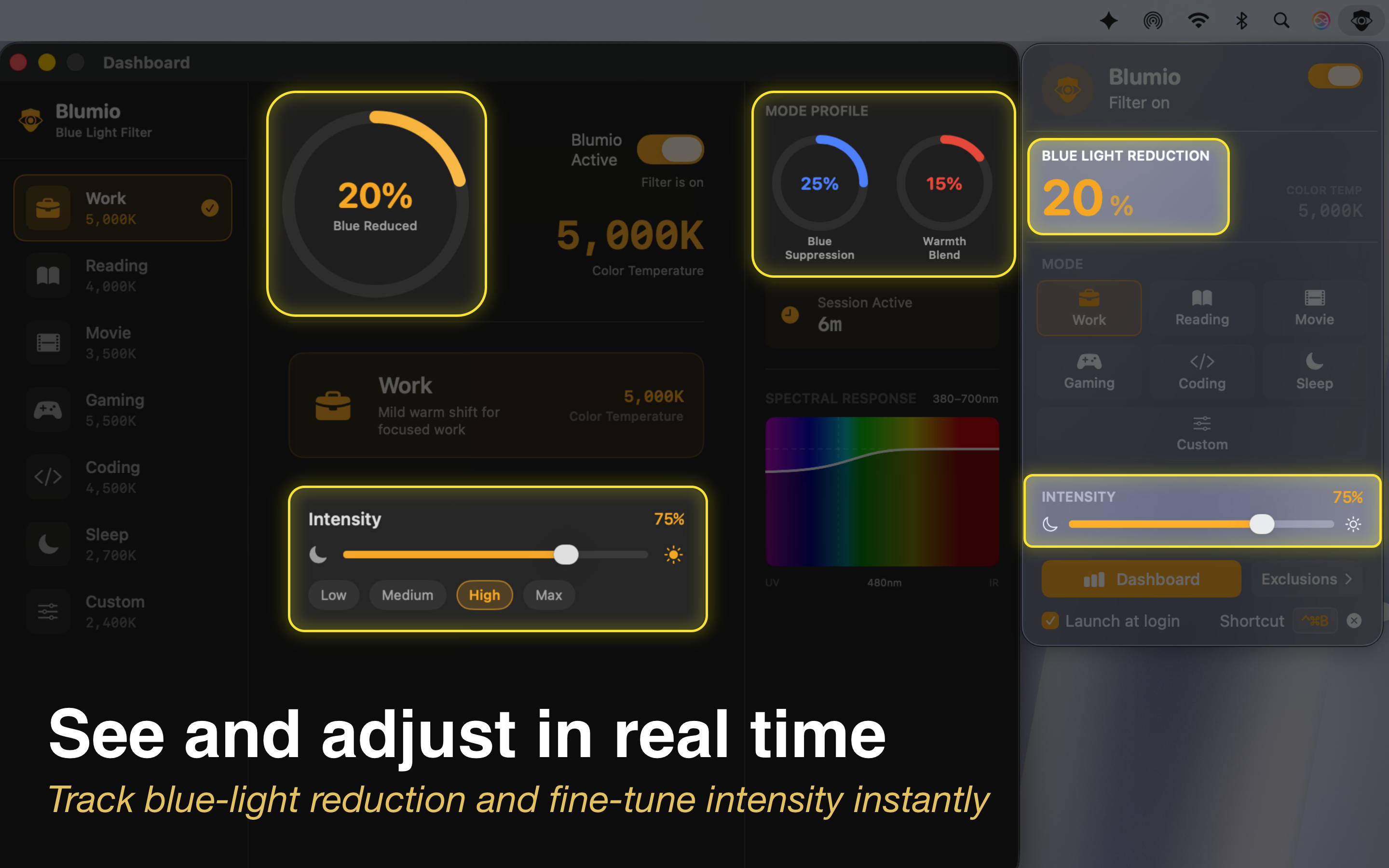
Each mode is individually calibrated — not just a brightness slider — to optimally reduce blue light, minimize eye strain, and support your natural sleep cycle for that specific activity.

Work
Mild warm shift for focused work sessions — reduces eye strain without distorting UI colors.
Coding
Preserves syntax highlight colors while reducing the blue-light eye fatigue that builds up during long coding sessions.
Reading
Soft, paper-like warmth that reduces digital eye strain and makes long reading sessions comfortable.
Movie
Cinematic warmth with selective blue suppression for evening viewing.
Gaming
Minimal shift that preserves color accuracy for competitive gaming.
Sleep
Maximum blue light suppression to boost melatonin production and prepare your circadian rhythm for healthy sleep.
Custom
Full manual control over color temperature, intensity, and melanopic suppression — tuned exactly how you want.

We've got you.

Common questions about reducing eye strain, eye fatigue, and improving sleep with Blumio. If you don't find what you need, drop us an email.

How is Blumio different from Night Shift?
Night Shift applies a white-point shift that turns everything orange. Blumio uses melanopic-targeted suppression — it specifically attenuates the 480nm blue wavelengths your brain uses for wakefulness signals, while redirecting some energy toward cyan. The result: colors look accurate and natural — not orange, not sepia.
Does it work on all Macs and with multiple displays?
Blumio works on any Mac running macOS 13 Ventura or later. It applies the filter to all connected displays simultaneously using the GPU color lookup table API, so every screen in your setup gets the same protection.
Can I exclude specific apps?
Yes. Open the Exclusions panel from the menu bar popover, search for any app, and add it to your exclusion list. Whenever that app is in the foreground, Blumio automatically pauses the filter — and re-enables it when you switch away. Great for Figma, Final Cut, or any color-critical app.
Does it affect screen recording or video calls?
No. Because Blumio modifies the GPU's color lookup tables directly rather than overlaying a window, screen recordings and video calls capture the original, unfiltered image. What your camera or recorder sees is always the raw, accurate display output.
How do I uninstall Blumio?
Quit Blumio from the menu bar (right-click the icon → Quit), then drag Blumio.app from your Applications folder to the Trash. All preferences are stored in macOS UserDefaults and will be removed when you delete the app. Your display returns to its normal color settings immediately on quit.
Can Blumio help with eye strain from looking at a screen all day?
Yes. Digital eye strain (also called computer vision syndrome) is partly caused by exposure to high-energy blue light from screens. Blumio reduces blue light at the source — the display — which helps relieve eye fatigue, reduce headaches, and make extended screen time more comfortable. For best results, use Work or Reading mode during the day, and switch to Sleep mode in the evening.
Does Blumio run at login?
By default, Blumio launches at login so your eyes are always protected. You can disable this in the app's settings — click the controls section in the menu bar popover and toggle "Launch at Login."

Still have questions? We're happy to help.
Email us at support@blumio.app and we'll get back to you within one business day.

Your data stays yours.

We believe a great app shouldn't come at the cost of your privacy.

What We Collect

Nothing. Blumio does not collect, transmit, or store any personal data, usage analytics, crash reports, or telemetry of any kind. There are no third-party SDKs, no tracking pixels, and no network calls to our servers.

What Stays on Your Mac

All of the above are stored locally in macOS UserDefaults and never leave your device.

Contact

Questions about privacy? Email us at support@blumio.app.

Last updated: February 2026

Say hello.

For support, feature requests, bug reports, or press inquiries — we'd love to hear from you. We read every email.

support@blumio.app